You know the one in the club toilet. Do not press. Someone always does, the room flips to disco, and an 80s track comes on. I wanted that at home.
The LIFX app can flash a bulb. That is as far as it goes. The ball in the corner only listens to its own remote. The speaker is a Raspberry Pi on the 3.5mm jack. Alexa has no idea those are one thing. The integrator is the bit in the middle: one scene, started from the browser, from Alexa, or from a Tapo button that is going on the wall as the do not press.
The lights
LIFX has two ways in.
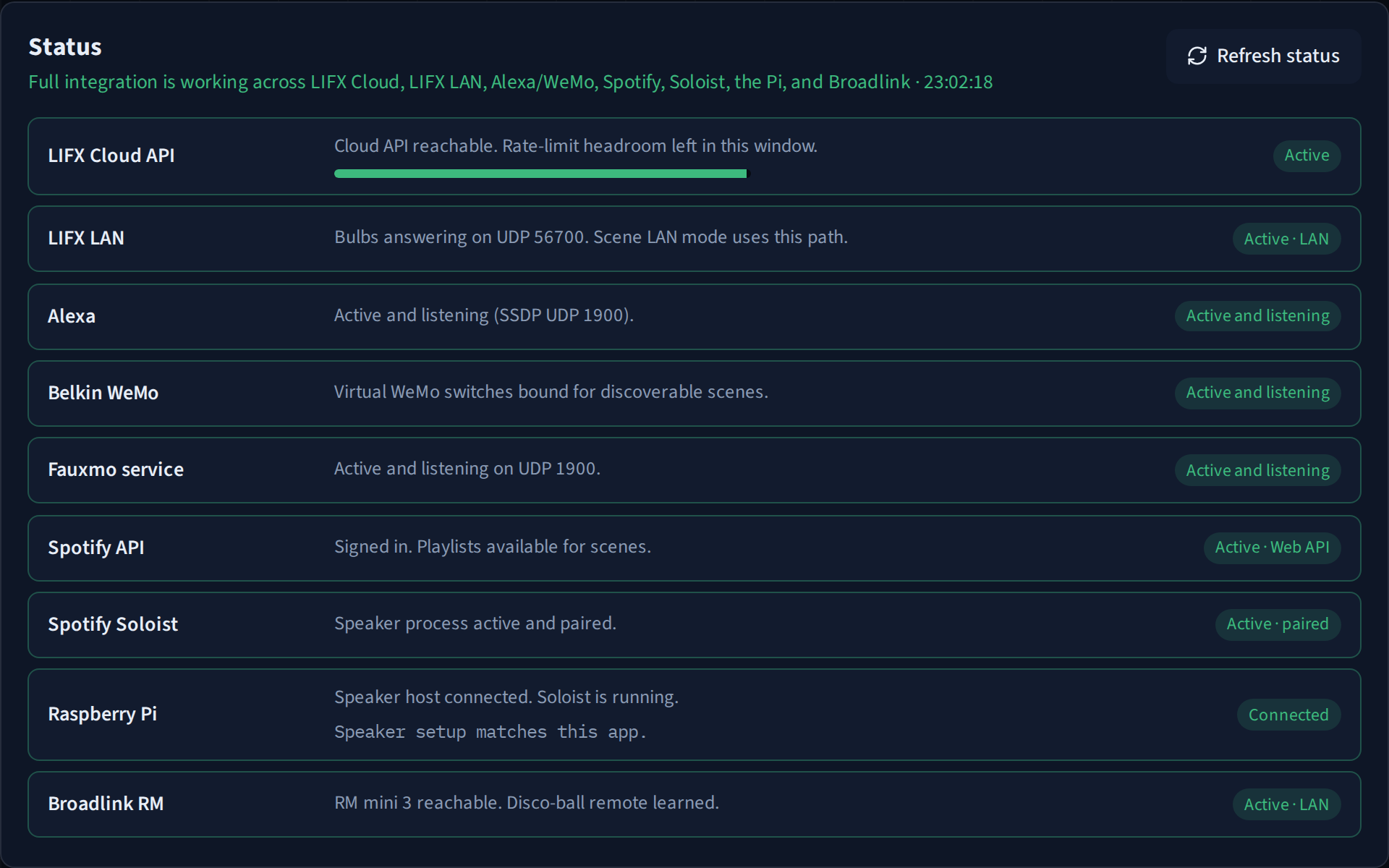
The cloud API uses a personal access token. It can list the bulbs and set colour, brightness, and power. It is also metered, about 120 requests a minute. That is plenty for a toggle. A disco loop that keeps repainting the same bulbs spends the budget and then waits.
The other path stays on the LAN. The hub discovers bulbs with GetService and sets colour over UDP 56700, so a long scene never touches the token. A fade is the bulb’s own waveform, one half-sine for the number of seconds you asked for, which is the same stay-at-the-target curve the cloud call uses. Power is sent only when power actually changes. A second power packet would cancel the fade.
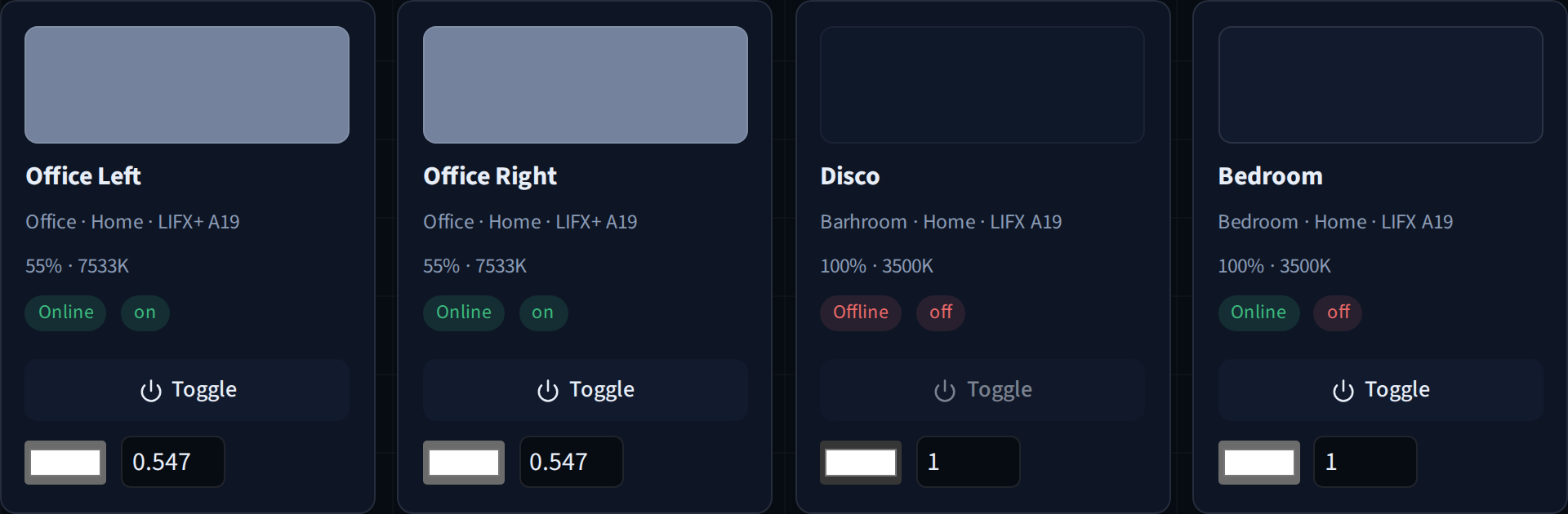
The Lights page is that cloud list: each bulb, its group, whether it is on, and a swatch of the current colour. A selector can ask for everything, or for one group. Refreshing the page is itself a cloud call, so it is not on a timer.
New scenes start on the cloud path. The LAN path is there for the long disco loops, once the cloud budget starts getting in the way.
The disco ball
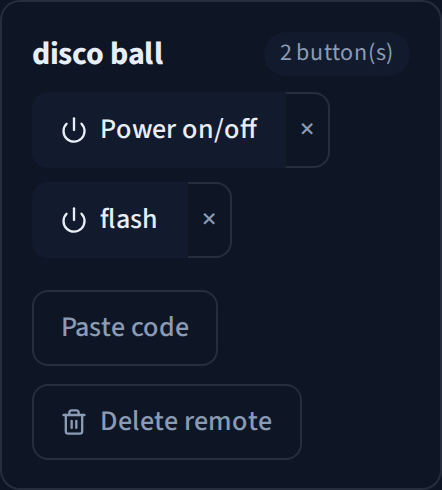
The ball has a remote, and the remote has two buttons that matter: power and flash. Power is a toggle. Flash changes the mode, which is the bit that actually looks like a disco ball rather than a lamp that happens to spin.
A Broadlink RM Mini 3 on the same LAN learns those buttons. The blaster LED blinks, you press the original remote, and the code stays in this app. The named remotes in the Broadlink phone app live on the phone, so there is nothing on the RM to import unless you already exported the codes another way.
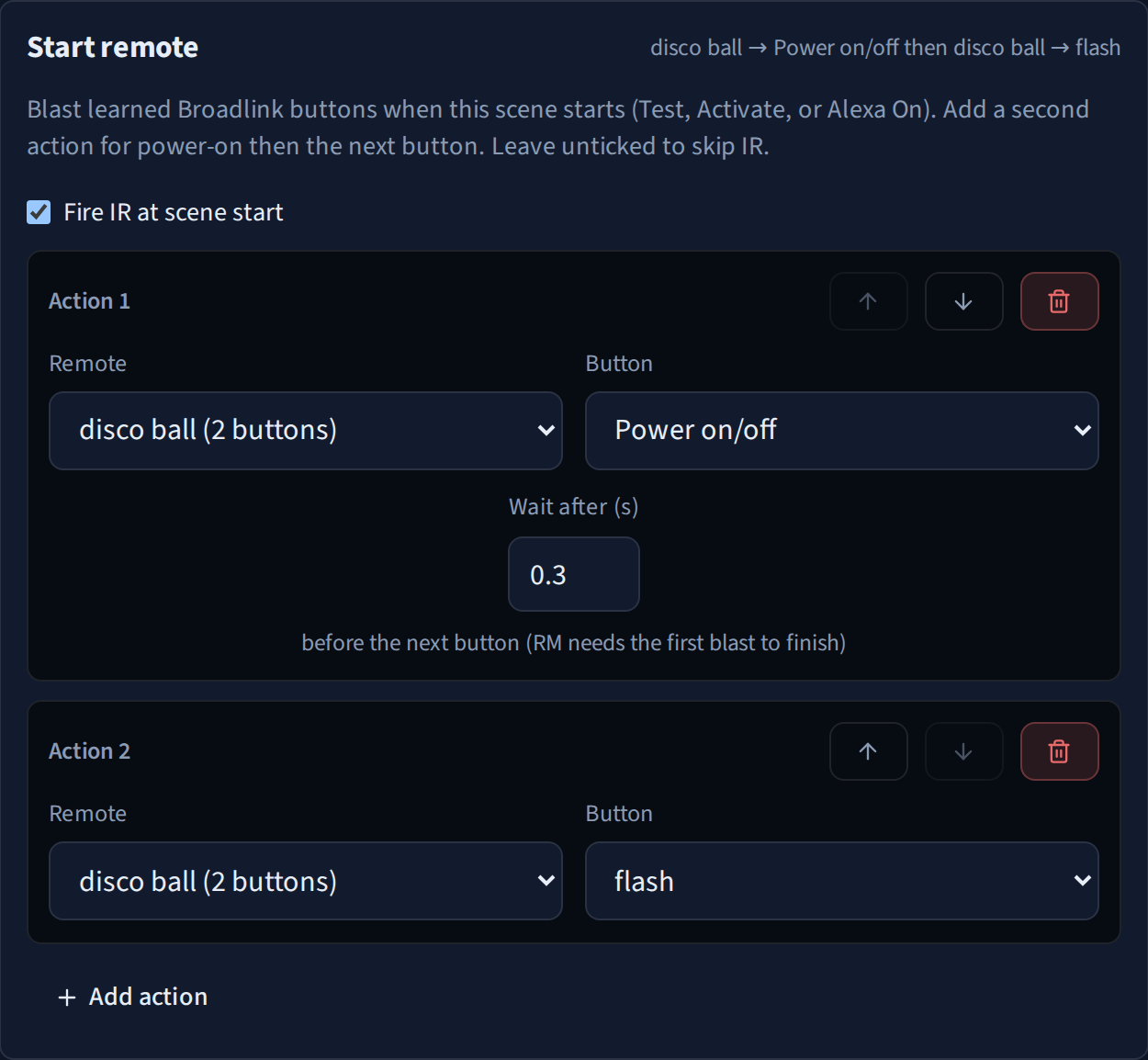
When a scene starts it sends power, waits a third of a second so the blaster finishes that burst, then sends flash. When the scene stops it sends power again. A second power code while the scene is already idle would turn the ball straight back on, so that one is dropped.
The playlist
The speaker is a Raspberry Pi running Spotify Soloist. It is paired once, to its own Spotify account, and that account has one playlist: classic disco and 80s, on rotate.
The Spotify Web API is only there to sign in and read that playlist. Starting a song is soloist ctl over SSH to the Pi. Spotify’s own shuffle keeps a short queue on the speaker, and after it has been idle you get the same few tracks again, often halfway through. This app keeps the track list and draws one that has not played yet in the current pass, from the start of the song, then lines up a few more from the same playlist so it stays in the 80s instead of wandering off into recommendations.
Stop pauses Soloist straight away. The volume is left where it is.
Alexa and the Tapo button
Echo already knows how to find Belkin WeMo switches on the local network, over SSDP on UDP 1900, and how to turn them on and off with a small SOAP call. Fauxmo is the listener that answers as those switches. Each scene marked discoverable becomes one virtual switch, on a stable port, so a rename does not move the address Echo cached.
“Alexa, turn on Disco” is an ON for that switch, and the scene runs. “Turn off Disco” stops it. Echo treats every WeMo as a light, so “turn on the lights” is ignored. That phrase would start every scene at once.
Presses are latest-wins, not a queue. An extra ON while that scene is already playing is dropped. An OFF in the first few seconds is ignored too, because Echo often stacks an off onto the same press. A routine that waits and then says off is a real stop. The button in the browser stops immediately.
The Tapo button is the club button. It talks to Alexa, and Alexa turns that WeMo scene on. From the app’s side that press is the same ON as saying the scene name out loud.
What one press does
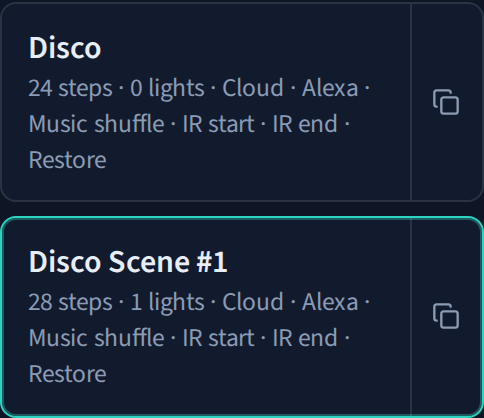
A scene is a list of colour steps and waits. It can loop, shuffle the order of those steps, and start the playlist when it starts. Infrared goes out with the lights. Music waits for the SSH session to the Pi, so the song lines up with the bulbs. Stop pauses Soloist, fires the end infrared code, and can put the bulbs back to a rest colour. White at full brightness is the default.
Cloud or LAN is saved on the scene.
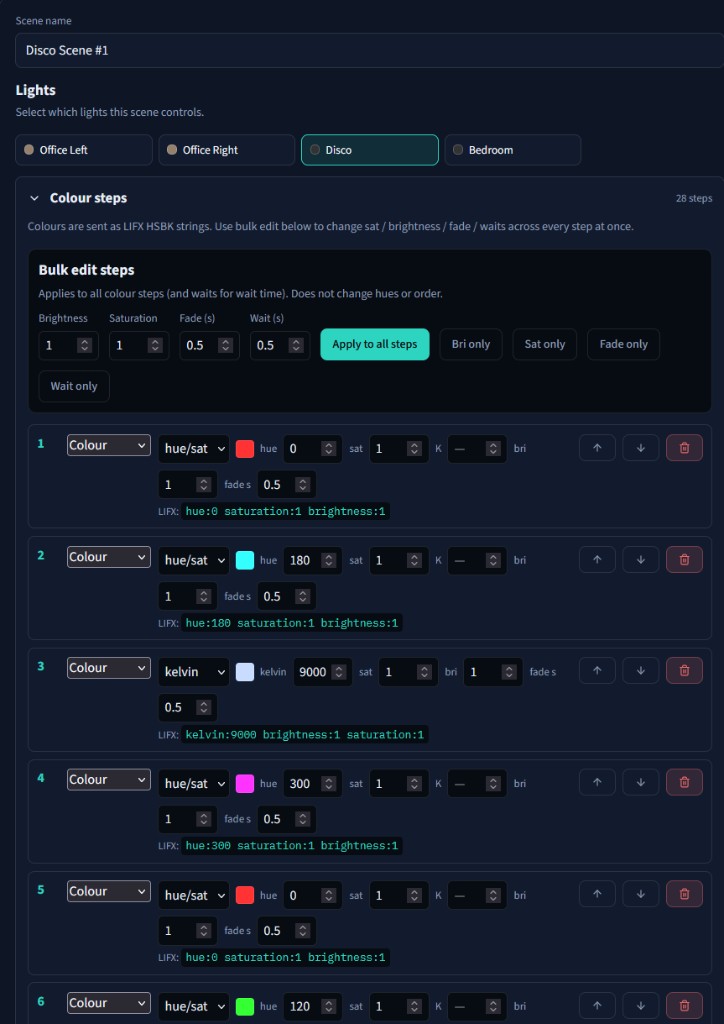
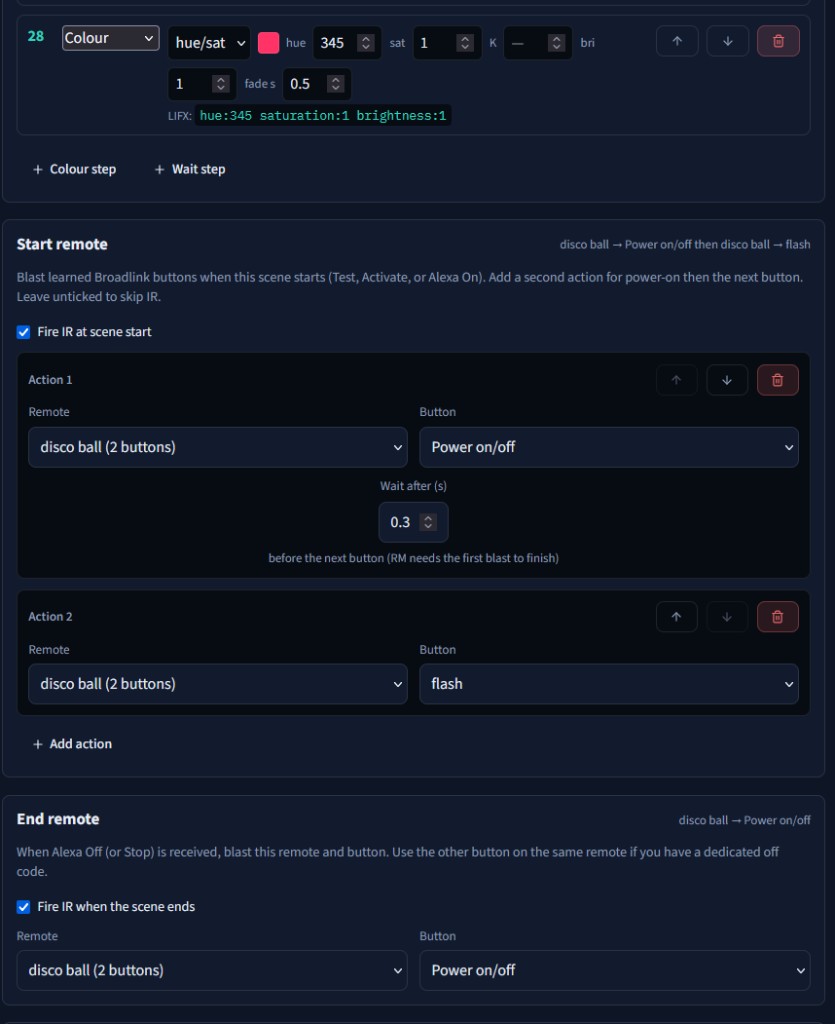
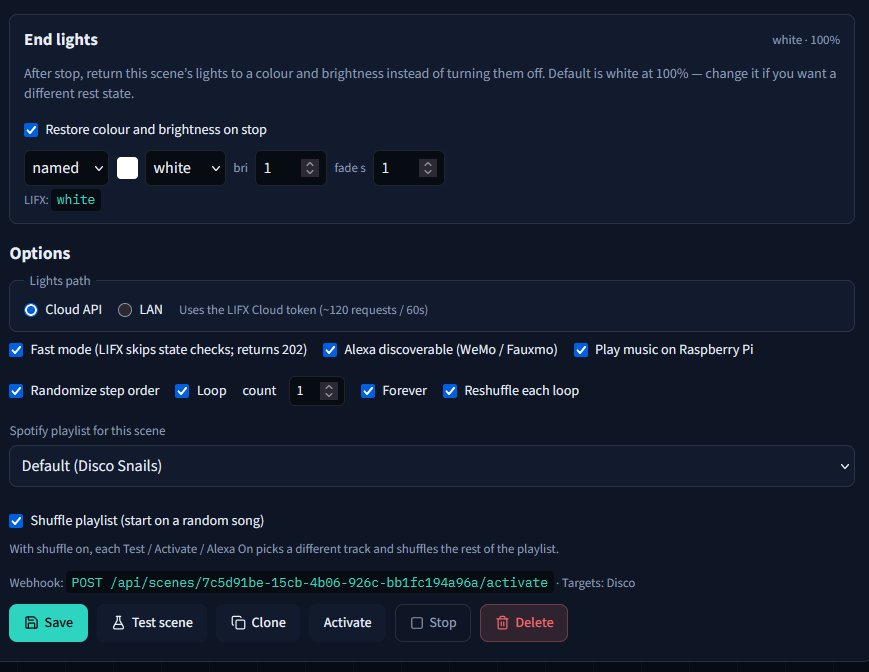
Say the name to Alexa, press the Tapo button, or click it in the browser. The bulbs, the ball, and the playlist start together. Stopping it puts them back.